


Table of contents
- Tally vs Odoo Accounting — What Your CA Needs to Know (Odoo Accounting vs Tally)
- Odoo Accounting vs Tally — The Fundamental Difference in How Entries Are Created
- Beyond Accounting — What Odoo Gives You That Tally Never Could
- What Changes Specifically for India and the Middle East
- The Objections Every Business Owner Has — And the Honest Answers
- How Sufalam Handles the Entire Migration — Every Step
- What We Add Beyond the Migration — The AI Automation Layer
- Why Post Go-Live Support Is Where Most ERP Migrations Fail
- A Real Migration — Ahmedabad Polymer Trading Company
- Frequently Asked Questions
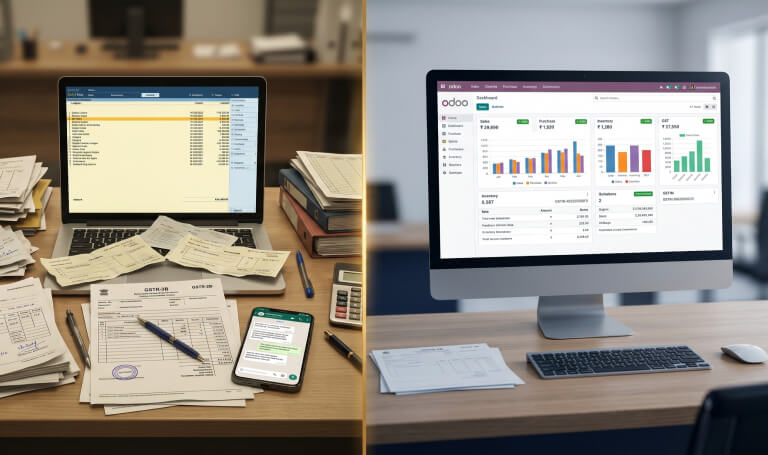
Tally works. For millions of businesses across India and the Middle East, it has worked reliably for years. The CA knows it. The accountant is comfortable with it. Changing it feels unnecessary — until the business grows to the point where accounting alone is no longer enough to run it.
That is the moment most businesses come to us. Not because Tally failed them. Because the business outgrew what Tally was designed to do. And at that point, the Tally to Odoo migration decision is not really about accounting software at all. It is about whether the business wants a system that records what happened financially — or a system that runs what happens operationally, with the accounting as one output of that.
This article is written for business owners and finance heads at growing companies in India and the Middle East who are on Tally and starting to feel that strain. We cover what changes, what gets better, what the objections really are — and exactly how Sufalam Technologies handles the entire migration so that neither you, your accountant, nor your CA has to figure anything out alone.
Tally vs Odoo Accounting — What Your CA Needs to Know (Odoo Accounting vs Tally)
The first question every business owner asks before a Tally to Odoo migration is the right one: does Odoo do everything Tally does for accounting? The honest answer is yes — and in two specific areas, it does it better. Here is the direct comparison your CA can review:
| Accounting Function | TallyPrime | Odoo | Notes |
|---|---|---|---|
| Double-entry bookkeeping | ✓ | ✓ | |
| Sales and purchase invoicing | ✓ | ✓ | |
| Bank reconciliation | Manual | Automated | Odoo imports bank feed and auto-matches |
| GST — IGST, CGST, SGST | ✓ | ✓ | |
| GSTR-1 and GSTR-3B | ✓ | ✓ | |
| GSTR-2B reconciliation | Manual — CA cleans data | Automated | Odoo matches supplier filings automatically |
| e-Invoicing to IRP | Separate NIC portal | Native — inside Odoo | No re-entry, no separate login |
| e-Way bill generation | Separate NIC portal | From Odoo dispatch | No re-entry, no separate portal |
| TDS / TCS (Section 194Q) | ✓ | ✓ | |
| Multi-currency | ✓ | ✓ | |
| P&L and Balance Sheet | ✓ | ✓ | |
| Cost centre accounting | ✓ | ✓ | |
| Budget management | Limited | Full | |
| Asset management | Limited | Full | |
| UAE VAT / FTA compliance | Not available | Native — Enterprise | |
| Qatar VAT / GTA compliance | Not available | Native — Enterprise | |
| Arabic localisation | Not available | Odoo SA maintained |
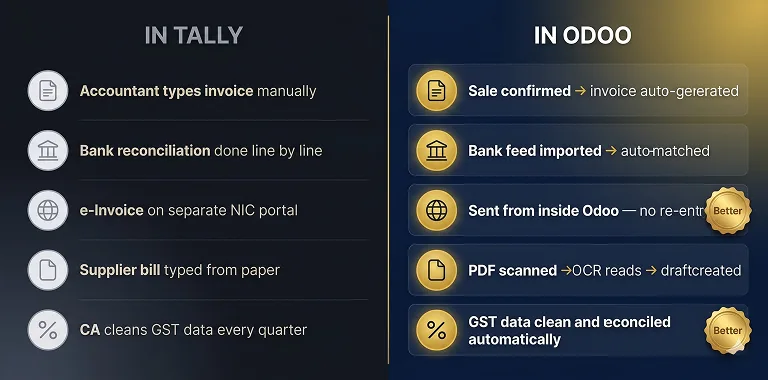
Two specific areas where Odoo is genuinely better than TallyPrime for an Indian business:
e-Invoicing to IRP: In TallyPrime, e-invoicing requires logging into the Invoice Registration Portal separately and re-entering invoice details. In Odoo, the e-invoice is generated from the same transaction that raises the invoice — the IRN is returned and embedded in the invoice PDF automatically. One step, not two. No chance of a mismatch between the Odoo invoice and the IRP record.
GSTR-2B reconciliation: In TallyPrime, GSTR-2B reconciliation requires the CA to export data, match it against supplier filings manually, and identify mismatches. In Odoo, the reconciliation is automated — purchase invoices are matched against supplier filings and mismatches are flagged without manual intervention. The CA reviews exceptions rather than doing the matching.
Your CA does not need to relearn accounting. The concepts — journal entries, ledgers, GST, trial balance — are identical. What changes is where those concepts live. Instead of a standalone accounting application, they live inside the same system that runs your sales, purchases, inventory and operations.
Odoo Accounting vs Tally — The Fundamental Difference in How Entries Are Created
This is the section most Tally to Odoo migration articles miss entirely. The comparison above shows that Odoo does everything TallyPrime does for accounting. But it does not explain why businesses with a full-time accountant on Tally often find they need less accounting resource once they are on Odoo.
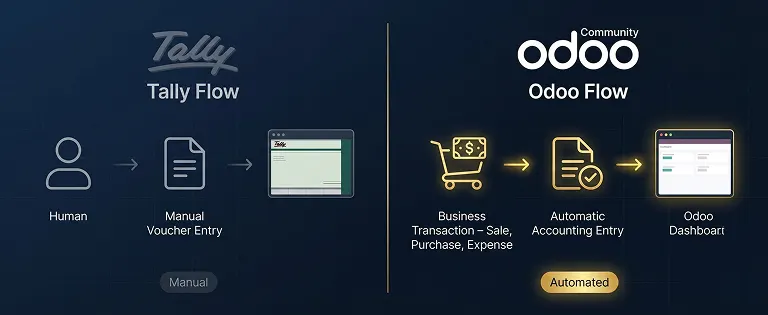
The reason is architectural. In TallyPrime, every financial entry is created manually by an accountant. In Odoo, the accounting entry is generated automatically by the business transaction. The accountant's role shifts from creating entries to reviewing them.
| Business scenario | In TallyPrime | In Odoo |
|---|---|---|
| Customer places an order | Accountant manually creates sales voucher | Sale order confirmed → invoice auto-generated → accounting entry posted automatically |
| Payment received from customer | Accountant manually creates receipt voucher and reconciles | Bank feed imported → payment auto-matched to open invoice → reconciliation done |
| Supplier invoice received | Accountant manually creates purchase voucher from paper invoice | Supplier PDF scanned → OCR reads it → draft purchase bill created → accounting reviews and approves |
| WhatsApp inquiry arrives | No connection to accounting — handled separately across 3 systems | AI reads inquiry → quotation → sale order → invoice → accounting entry — one connected flow |
| e-Invoice to IRP | Account logs into NIC portal separately, re-enters details | e-Invoice generated from the Odoo invoice — no separate step, no re-entry |
| e-Way bill | Separate NIC portal entry — data re-typed from physical documents | Generated automatically from Odoo dispatch — no re-entry, no portal |
| Bank reconciliation | Manual — accountant matches each entry line by line | Bank statement imported → auto-matched to existing entries → exceptions flagged |
| GST filing preparation | CA extracts from Tally, cleans data, reconciles manually | CA accesses clean GSTR data directly from Odoo — no extraction, no cleaning needed |
| Email or WhatsApp notification on invoice/payment | Not available | Automated — triggered by transaction status in Odoo |
The headline consequence: In TallyPrime, you need a trained, full-time accountant sitting at the system to keep entries current. In Odoo, the business transactions create the accounting entries — the accountant reviews, approves and analyses. You do not need a data entry operator for accounting. You need a reviewer.
A polymer trading business we work with in Ahmedabad reduced their CA's quarterly GST filing preparation from 2 full days to 1.5 hours after moving from Tally to Odoo. The data was already clean, already reconciled, already in the format the CA needed. The CA did not have to prepare it.
Beyond Accounting — What Odoo Gives You That Tally Never Could
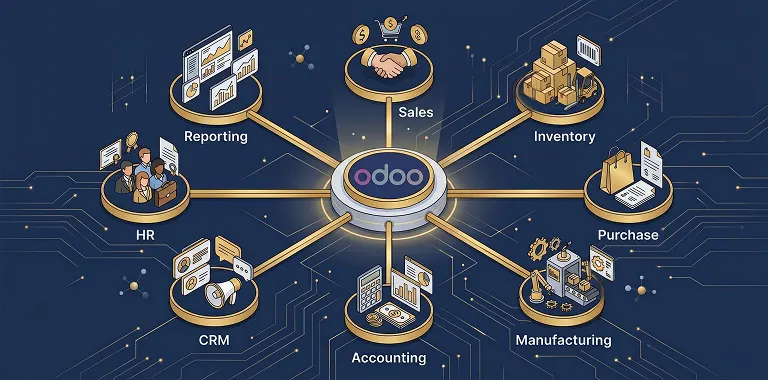
Tally was built to record what your business did financially. Odoo was built to run what your business does operationally — with the accounting as one output of that, not the starting point. This is the distinction that makes the Tally to Odoo migration in India and the Middle East more than an accounting software switch. It is a shift from a recording system to a business operating system.
Here is what Odoo adds on top of everything Tally already does for accounting:
Sales and CRM
Every buyer inquiry, quotation, sale order and payment in one connected system. The sales team raises a quotation — the system pulls the live price list automatically. The buyer confirms — a sale order is created. Goods are dispatched — the invoice is generated. Payment is received — the receivable is closed. At every step, the owner can see the status of every transaction without asking anyone.
Purchase and Procurement
Purchase orders raised in Odoo, sent to suppliers as formatted PDFs, tracked from order to goods receipt. When goods are received, stock updates automatically and the accounting entry is created. The entire procurement cycle — purchase order to goods receipt to supplier invoice — is connected, with no manual re-entry between steps.
Live Inventory and Warehouse Management
Stock levels by product, location, batch and lot number — visible in real time. When a sale order is confirmed, stock is allocated. When goods are dispatched, stock reduces. When a supplier delivery arrives, stock increases. The stock figure the owner sees on the dashboard reflects the actual position right now — not as of the last physical count.
Manufacturing and Light Processing
For businesses that blend, repackage or process — Odoo handles bills of materials, production orders, input consumption and finished goods costing. A polymer trader who repackages bulk material into 25kg bags has every input and output tracked, wastage recorded and finished goods costed automatically.
Automated Communication — WhatsApp, Email, Notifications
Odoo connects to WhatsApp Business API and email — automatically. Payment reminders are sent when invoices become overdue. Order confirmations go to buyers on dispatch. Purchase order acknowledgements go to suppliers. Notifications go to the right person inside the business when a workflow step requires their action. None of this requires a person to initiate it.
OCR Document Processing
Supplier invoices received by email or uploaded as PDFs are read by Odoo's document intelligence — product names, quantities, rates and GST details extracted automatically and mapped to a draft purchase bill. The accountant reviews and approves rather than typing it out. The OCR capability in Odoo 19 Enterprise reads documents across multiple languages — relevant for Middle East businesses receiving Arabic and English supplier documents.
Management Dashboard and Reporting
Every report in TallyPrime — P&L, balance sheet, outstanding by party, stock summary — exists in Odoo. Additionally, the owner gets a live operational dashboard: pending quotations, open sale orders, overdue receivables by ageing bucket, inventory below reorder point, today's dispatches, pending purchase orders. Information the business needs to make decisions, visible without picking up the phone.
When all of this runs in one system, information stops living in WhatsApp groups, spreadsheets and people's heads. A sale confirmed in Odoo drives the purchase, the stock, the dispatch, the invoice and the accounting entry. One transaction. One system. No re-entry.
What Changes Specifically for India and the Middle East
The Tally to Odoo migration in India and the Middle East has market-specific dimensions that generic migration articles do not address. Here is what actually changes in each market.
| India — Odoo GST and Compliance | UAE / Qatar — Odoo VAT and Localisation |
|---|---|
| GST — IGST/CGST/SGST calculated automatically based on buyer state | UAE VAT at 5% calculated automatically with FTA-compliant invoicing |
| HSN codes configured per product — used in every invoice and e-way bill | Qatar VAT with GTA-compliant format — maintained natively by Odoo SA |
| e-Invoicing to IRP — native inside Odoo, no separate portal | Arabic right-to-left interface — maintained by Odoo SA, not community modules |
| e-Way bill from Odoo dispatch — no NIC portal re-entry | Multi-currency — USD, AED, QAR transactions with forex gain/loss |
| GSTR-1, GSTR-3B, GSTR-2B reconciliation automated | Odoo.sh hosting available in Middle East data centre — data residency |
| TDS / TCS on applicable purchases — Section 194Q | Sadded payment gateway integration for Qatar (Sufalam-published modules) |
The Objections Every Business Owner Has — And the Honest Answers
Every Tally to Odoo migration conversation involves the same objections. These are real — not sales resistance. Here is how we answer each one honestly.
Our CA and Accountant Are Comfortable With Tally. They Do Not Want to Change.
This is the most common reason migrations are delayed — and it is completely understandable. A CA who has been filing GST from TallyPrime for five years has a working system. Asking them to switch feels like creating a problem that does not exist.
Our answer: We work directly with your CA throughout the entire Tally to Odoo migration. We configure Odoo's GST, e-invoicing and GSTR outputs to match the formats your CA already works with. We sit with them before go-live, through the first filing cycle and for the first 90 days after. By the time we are done, most CAs tell us Odoo GST India data is significantly cleaner and easier to work with than what TallyPrime produces. Because the reconciliation is automated and the e-invoicing is native.
We Are Worried About Losing Data During the Migration.
Valid concern. Our answer: We run both systems in parallel for six to eight weeks. TallyPrime is not switched off until your team and your CA have independently confirmed that Odoo's numbers match Tally exactly — transaction by transaction. GST go-live is planned at the start of a new financial year or a new quarter to ensure continuity. In every Tally to Odoo migration we have executed, no client has lost data and no GST filing has been disrupted.
We Have Tried ERP Before and It Did Not Work.
The failure was almost certainly in one of three places: the system was configured without understanding how the business actually operates; the team was not supported through the transition; or the implementation partner handed over the system and disappeared.
At Sufalam Technologies, we can tell you exactly how we prevent each of these — and you can hold us to it contractually. We do not proceed to configuration without documented workflow mapping. We do not go live without a completed parallel run. We do not leave after go-live.
We Do Not Have Technical Resources to Manage This Ourselves.
You do not need them. This is perhaps the most important thing to understand about how Sufalam handles Tally to Odoo migration: you do not touch a data export tool, a migration script, a configuration panel or a technical document. Your job is to tell us how your business works. Our job is to build the system around it and hand it to you running.
We do not give you a tool and ask you to migrate yourself. We do not send you a data template and ask you to fill it in. We extract the data from Tally, clean it, structure it, migrate it and verify it. Every step is done by Sufalam. You review the output.
How Sufalam Handles the Entire Migration — Every Step
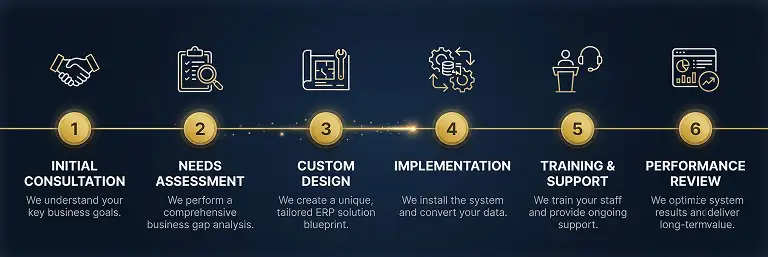
When a business migrates from Tally to Odoo with Sufalam Technologies as their Odoo implementation partner India or Middle East, here is exactly what happens — and who does each part of it.
| Phase | What happens | Who does it | Duration |
|---|---|---|---|
| 1. Discovery | We meet with operations, sales, accounts and management separately. We map every workflow as it actually runs — not how it should run on paper. We identify every GST configuration requirement, every integration need, every compliance deadline. |
Sufalam team — you attend the sessions | 1–2 weeks |
| 2. Configuration | We configure Odoo for your specific workflows, your product catalogue, your GST and compliance setup, your approval chains and your reporting requirements. Not a generic template. Your business. |
Sufalam team entirely | Weeks 3–6 |
| 3. Data Migration | We extract the data from TallyPrime. We clean it, structure it, map it to Odoo’s data model and import it. We reconcile every number against the Tally source. You do not run a script or use a migration tool. |
Sufalam team entirely — you review the output | Weeks 7–8 |
| 4. Parallel Run | Both TallyPrime and Odoo run simultaneously. Real transactions are entered in both. Numbers are compared. Issues are identified and fixed. You and your CA approve the switch only when confident. |
Sufalam monitors — your team enters real transactions | 6–8 weeks |
| 5. Go-Live | Planned at start of financial year or quarter. Away from peak business periods. CA briefed. Team trained on real data. Sufalam present on go-live day. |
Sufalam plans and manages — you approve the date | 1 day planned event |
| 6. Post Go-Live Support | Same team stays engaged for 90 days. First GST filing supported directly with your CA. Issues resolved proactively, not reactively. Version upgrades managed as part of ongoing relationship. |
Sufalam — same team throughout | 90 days minimum |
What We Add Beyond the Migration — The AI Automation Layer
Most Tally to Odoo migration partners stop at go-live. The system is live, the data is in, the handover is done. At Sufalam Technologies, the migration is the foundation — not the finished product.
Once your business operations are running on Odoo, we can layer AI automation on top of the same system. This is where the migration becomes a transformation.
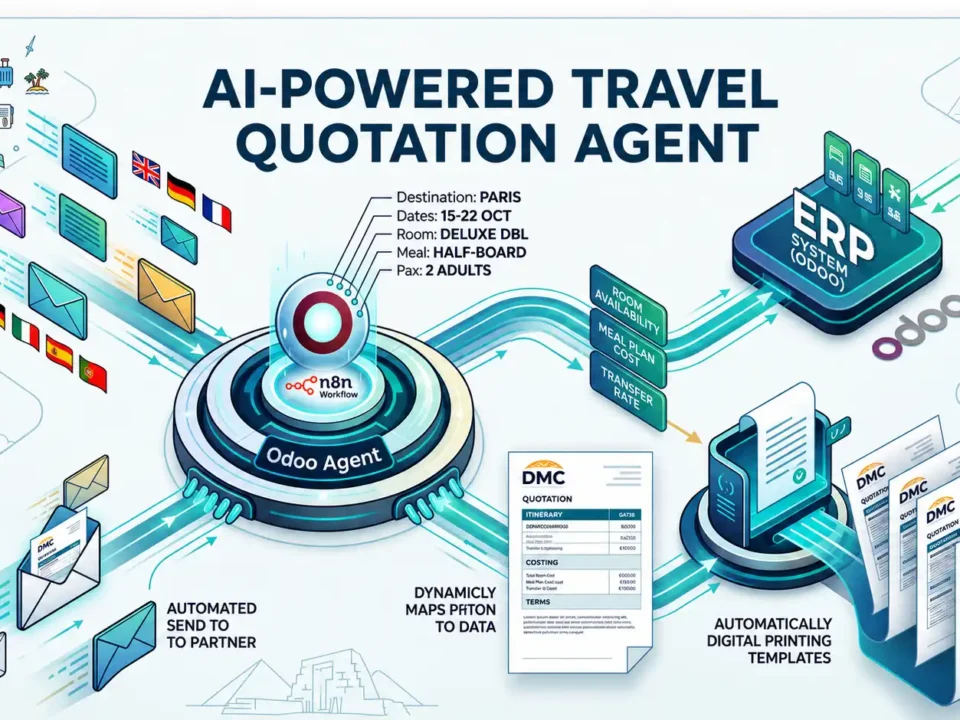
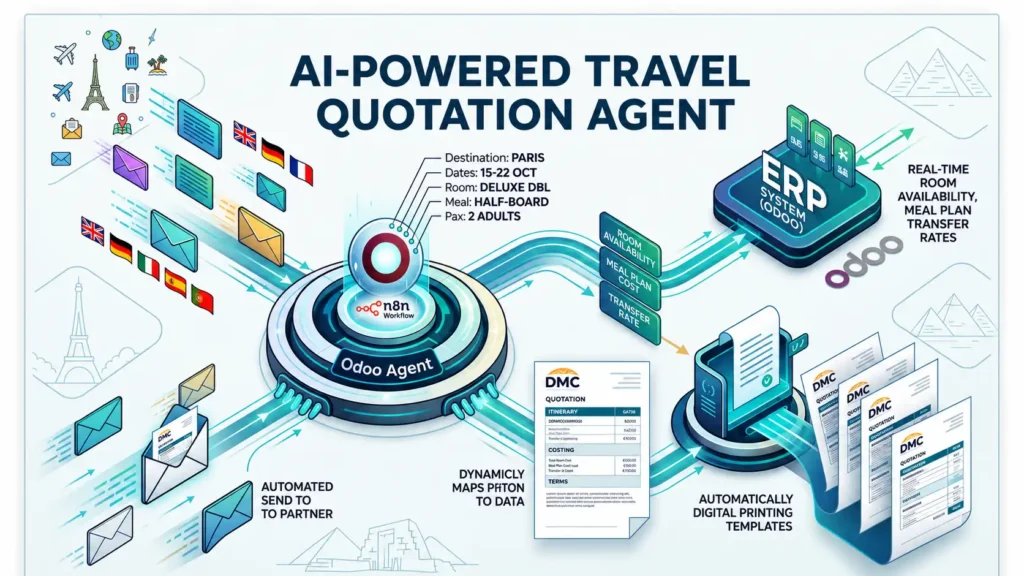
- For a trading business — an AI agent that reads WhatsApp and email inquiries, pulls live contracted rates from Odoo and generates formatted quotations automatically. 40 minutes → 3 minutes. Running 24×7.
- For a manufacturing business — automated purchase order drafting based on live sales velocity and supplier lead times. The procurement manager reviews draft POs every morning rather than building them from scratch.
- For a fintech business — KYC document processing that reads uploaded documents, extracts data and routes applications to reviewers automatically.
- For any business — automated payment reminders via WhatsApp when invoices become overdue. Automated e-way bill on dispatch. Automated GSTR data for the CA at month-end.
These are not future possibilities. They are live deployments we have built on top of Odoo implementations we have already completed. The foundation is the clean, connected Odoo system we build during migration. The automation layer runs on top of that foundation.
Whether you need the AI automation layer immediately or six months after go-live — the option is there. Because the system was built to support it from day one.
Why Post Go-Live Support Is Where Most ERP Migrations Fail
Most Odoo implementation partners define project completion as go-live. The system is handed over, the invoice is paid, the engagement ends. The business is on its own for everything that follows.
This is the most common cause of dissatisfaction with ERP implementations — not the go-live, but what happens after it. The first 90 days post go-live are the highest-risk period in any migration. The team is still building confidence. Edge cases emerge that did not appear in testing. Users default back to TallyPrime under pressure. The first GST filing on Odoo arrives and needs to be done in a specific sequence.
What support is sold as: A ticket system. 24-48 hour response time. Bug fixes included.
What support actually needs to be: The same people who built the system, staying engaged, proactively monitoring and resolving issues before the business feels them.
At Sufalam Technologies — your Odoo implementation partner India and Middle East businesses rely on — post go-live for a Tally to Odoo migration means:
- Same team engagement — the Sufalam team that configured your Odoo system handles all post go-live issues. Not a separate support function, not a ticket queue.
- First GST filing supported directly — we work with your CA through the first complete GST filing cycle on Odoo. This is the moment when configuration gaps surface, and we address them in real time.
- Proactive monitoring — we watch for data patterns that suggest a configuration issue, rather than waiting for you to notice something is wrong.
- Version upgrade management — when Odoo releases a major version (annually), we audit all customisations for compatibility and manage the upgrade as part of the ongoing relationship.
- User adoption support — when users default to old habits or struggle with a specific workflow, we identify it and address it before it becomes embedded.
The businesses that get the most from a Tally to Odoo migration are not the ones with the cleanest data or the most straightforward workflows. They are the ones whose implementation partner stayed engaged long enough to see the migration through the full operational cycle — not just to the go-live date.
A Real Migration — Ahmedabad Polymer Trading Company
A reputed polymer and plastic trading company in Ahmedabad came to Sufalam on Tally — a system they had used for over a decade, with a CA who was comfortable with it and did not want to change.
Their specific concerns: data continuity, GST compliance during the transition, and whether the team could adapt to a new system without disruption to daily operations.
| Before Tally to Odoo migration | After — Odoo + AI automation |
|---|---|
| 40 minutes to build one quotation manually | 3 minutes — WhatsApp inquiry to formatted PDF quotation, automated |
| Staff spending 17 hours/day on manual tasks | 4 hours/day — the rest automated |
| CA spending 2 full days per month on GST data prep | 1.5 hours per month — data clean, reconciliation automated |
| Rate errors twice a month — wrong price in quotation | Zero rate errors after go-live — rate lives in Odoo |
| Overnight inquiries from out-of-state buyers missed | Answered automatically at any hour — no staff required |
| TallyPrime: accounting records only | Odoo: full business operating system — sales, purchase, inventory, manufacturing, accounting, GST, AI automation |
Migration timeline: 10 weeks. Parallel run: 6 weeks. Go-live: start of Q2 for GST continuity. The CA was supported through the first filing cycle. The team was operational within 2 weeks of go-live.
The CA's assessment after three months: GST data from Odoo required less than half the preparation time of TallyPrime data. The e-invoicing was accurate every time. GSTR-2B reconciliation was done before the CA even sat down.
Frequently Asked Questions