

Table of contents
- AI Agents vs Chatbots — What Your Business Actually Needs
- What a Chatbot Does
- What an AI Agent Does
- The Same Scenario — Two Very Different Outcomes
- Frequently Asked Questions
- Can Community and Enterprise modules be mixed in the same Odoo implementation?
- Is Odoo Community sufficient for GST compliance in India?
- Does Odoo Enterprise handle VAT for UAE and Qatar?
- Is Odoo Enterprise worth it for a business with 5-10 users?
- Can I start with Community and upgrade to Enterprise later?
- What is Odoo pricing in India compared to the Middle East?
- Do Sufalam's published modules work with both Community and Enterprise?
AI Agents vs Chatbots — What Your Business Actually Needs
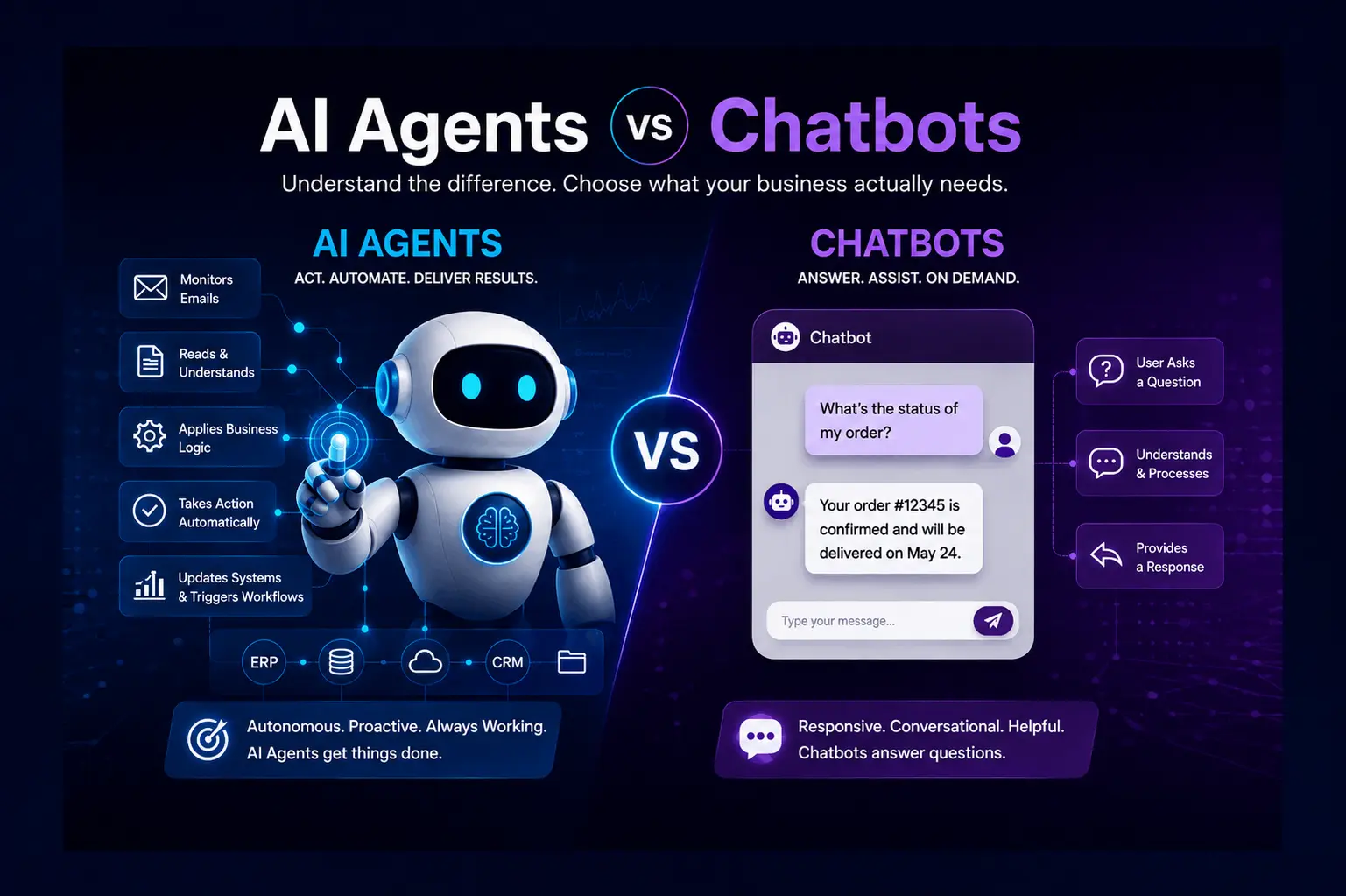
The two terms are often used interchangeably in vendor marketing. They are not the same thing. Understanding the difference will save you from either underinvesting (buying a chatbot when you need an agent) or overengineering (building an agent when a chatbot is sufficient).
This article draws a clean line between the two — using real operational examples to show what each looks like in practice, and ending with a decision framework you can apply to your specific situation.
What a Chatbot Does
A chatbot is a conversational interface. It waits for a user to ask a question, interprets the query, and returns a relevant response. The more sophisticated versions — powered by large language models like GPT-4 or Claude — can handle complex, nuanced questions with impressive accuracy.
What a chatbot does not do is take action. It does not update a record, send a document, trigger a workflow, create a task, or interact with another system based on what it understands. It processes language and returns language.
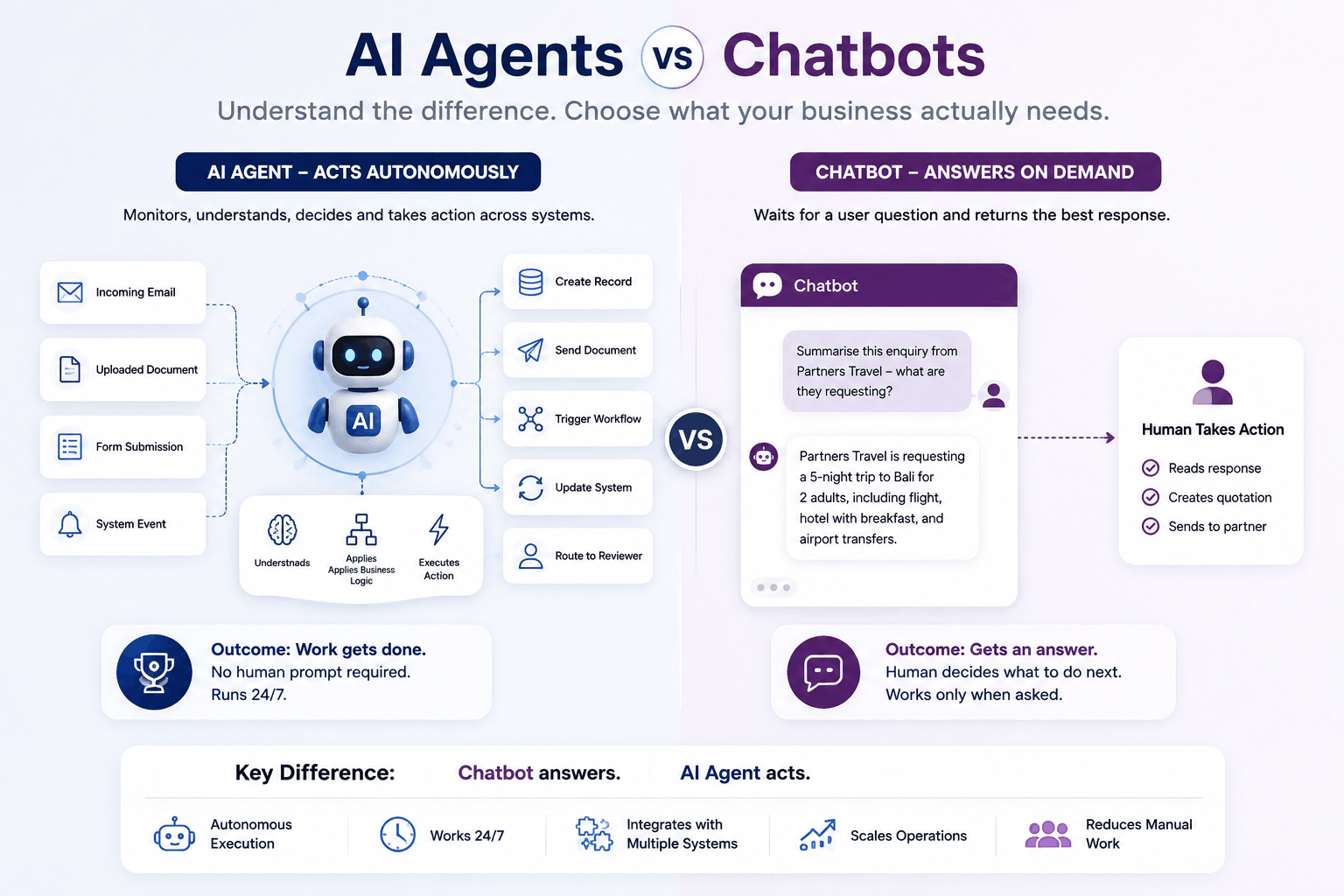
A chatbot answers. An agent acts.
This is not a criticism of chatbots — for many use cases, answering is exactly what is needed. A customer support chatbot that resolves 60% of inbound queries without human involvement is genuinely valuable. The question is whether answering is what your operation actually requires.
What an AI Agent Does
An AI agent can do everything a chatbot can do — understand natural language, handle complex queries, maintain conversation context. But its defining characteristic is that it can take action in connected systems based on what it understands.
An agent monitors a live input source. It reads and understands that input — whether it is a free-form email, an uploaded document, a form submission, or a system event. It applies business logic — your rules, your data, your decision criteria. And it executes an action: creates a record, sends a document, routes to a reviewer, triggers a downstream workflow, or updates a system.
The critical point: this happens autonomously. No user prompt required. No one sitting at a screen asking the agent to do something. The agent monitors continuously and acts when the trigger condition is met.
The Same Scenario — Two Very Different Outcomes
Consider a travel DMC receiving a B2B enquiry email from a partner.
With a chatbot:
A sales team member can ask the chatbot: 'Summarise this enquiry from Partners Travel — what are they requesting?' The chatbot reads the email and returns a summary. The team member then builds the quotation manually.
With an AI agent:
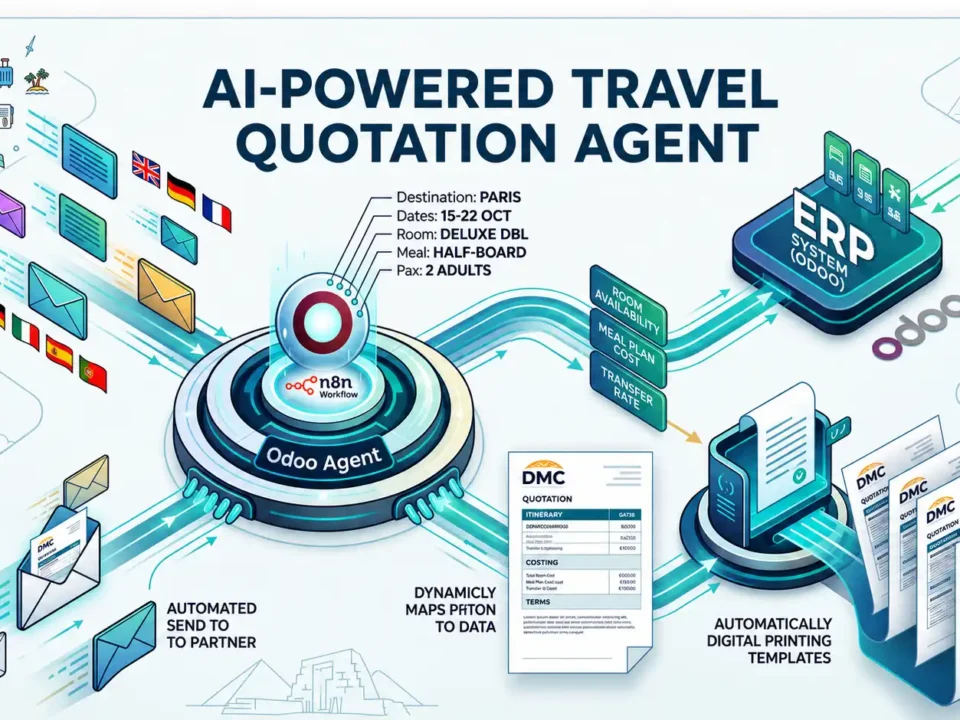
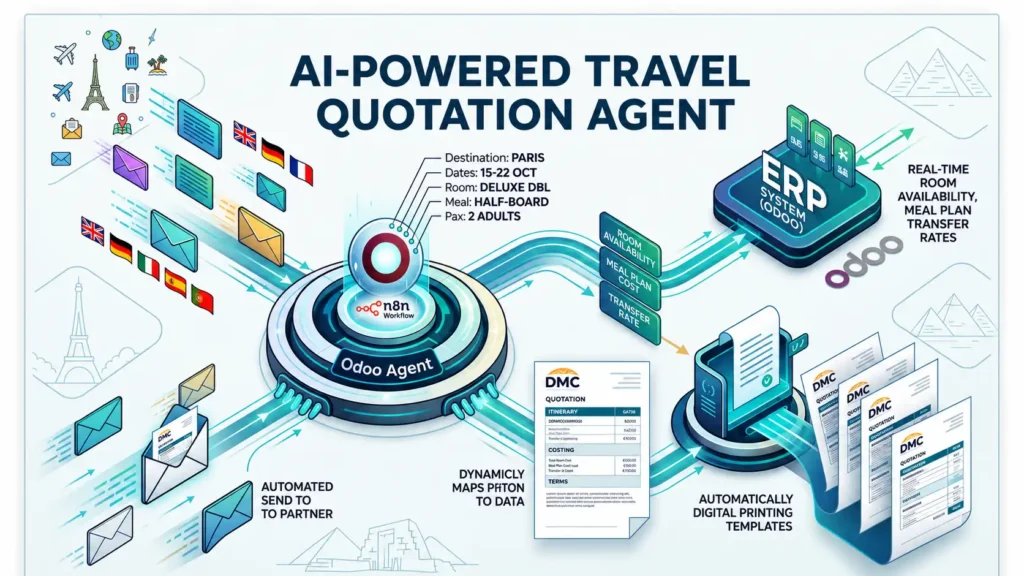
The agent monitors the inbox. When the enquiry arrives, it reads the email, extracts destination, dates, passenger count, room type, meal plan and special requests, queries the ERP for live contracted rates, formats a professional quotation PDF in the DMC's branded template, and sends it to the partner — without a human involved at any step until the approval click.
Same email. Same starting data. One workflow produces a summary for a human to act on. The other produces a formatted, accurate quotation in under three minutes, around the clock.
The difference is not intelligence — it is autonomy. An agent does not wait to be asked. It monitors, decides and acts.
The Decision Framework
| Question | Chatbot | AI Agent |
|---|---|---|
| Does it answer questions or execute a process? | Answers questions | Executes a process |
| Is it triggered by a user or by an event? | Triggered by user | Triggered by event |
| Does the output require human action to take effect? | No — responds to conversation | Yes — monitors and acts autonomously |
| Does it interact with multiple connected systems? | Typically one (its knowledge base) | Yes — reads, processes, writes across systems |
Frequently Asked Questions
Can Community and Enterprise modules be mixed in the same Odoo implementation?
No. Enterprise is all-or-nothing. If you need any Enterprise module in your Odoo implementation, you need an Enterprise subscription covering all users. You cannot run some modules on Community and others on Enterprise in the same deployment.
Is Odoo Community sufficient for GST compliance in India?
For simple invoicing below the e-invoicing threshold, Community with the right configuration can handle Odoo GST India basics. However, for businesses with regular invoicing above the IRP threshold, multi-state IGST/CGST/SGST transactions and GSTR-2B reconciliation requirements, Enterprise is significantly more reliable. Odoo GST India compliance in Enterprise is maintained by Odoo SA and updates automatically with GST rule changes.
Does Odoo Enterprise handle VAT for UAE and Qatar?
Yes. Odoo VAT UAE and Qatar VAT are handled natively in Enterprise with FTA and GTA compliant invoicing formats. Arabic localisation and right-to-left interface support in Enterprise are maintained by Odoo SA. Community Odoo ERP Middle East implementations can handle VAT with community modules but update frequency and reliability vary.
Is Odoo Enterprise worth it for a business with 5-10 users?
It depends which Odoo Enterprise features you need. For a small business in India that needs Odoo GST India e-invoicing, Studio for customisation or Odoo 19 AI features — yes, the Odoo Enterprise cost is justified. For a very small business with simple invoicing and no AI automation plans, Community may be sufficient. Your Odoo partner should review your specific requirements before recommending either edition.
Can I start with Community and upgrade to Enterprise later?
Yes, migration is technically possible. But any customisations in your Community Odoo implementation need auditing for Enterprise compatibility — more disruptive and expensive than starting with Enterprise. If Enterprise is in your Odoo implementation roadmap within 12 months, starting with Enterprise is almost always the better financial decision.
What is Odoo pricing in India compared to the Middle East?
Odoo pricing for Enterprise varies by region. The published per-user pricing from Odoo SA is the baseline — your Odoo partner can confirm current Odoo pricing India and Middle East rates and advise on volume discounts for larger user counts. Always confirm current Odoo pricing at odoo.com/pricing before committing.
Do Sufalam’s published modules work with both Community and Enterprise?
Most Sufalam modules — SnapCard, SkillMatch, Contract Management, TheAppSherpa, PostShield — work with both editions. DashBot and MoodDesk require Enterprise. Our Sadad payment modules for Qatar Odoo ERP Middle East deployments are designed for Enterprise Accounting. See our Odoo Modules u0026amp; Apps page for the full list with edition requirements.